Why Google Shopping Ads Waste Money (And Yes, Even Porsche Gets It Wrong)
You'd think a brand like Porsche would have its ecommerce dialled in. World-class engineering. Iconic design. Ridiculous attention to detail. Then you see a Google Shopping listing for a £79 T-shirt… and the product title is just "T-Shirt".
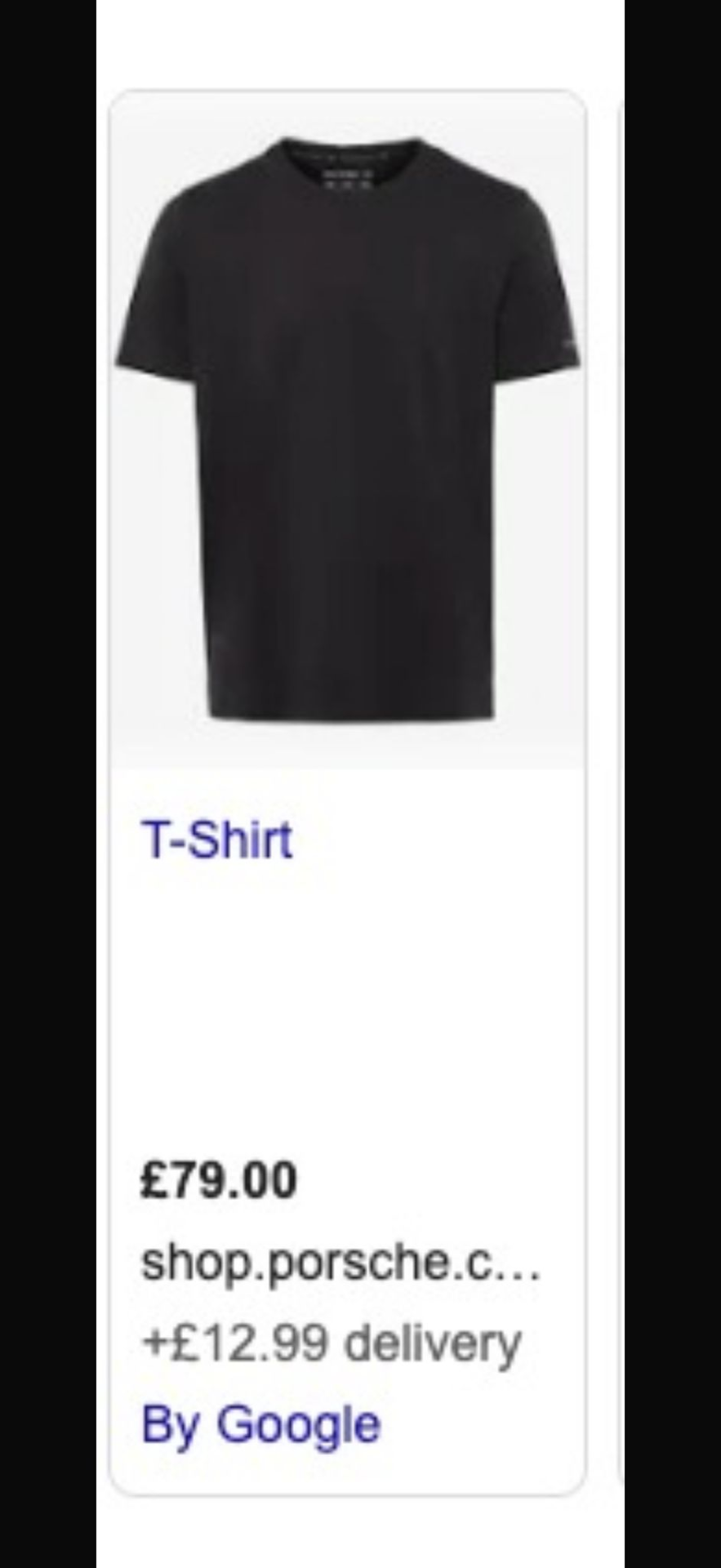
Real example from Google Shopping:
- No brand in title
- No "Porsche"
- No colour
- No size
- No unique identifiers
This is exactly how Google Shopping ads waste money. Not because Shopping "doesn't work", but because most brands feed Google vague, low-quality product data and then act surprised when performance is vague and low-quality too.
The Porsche "T-Shirt" Problem: What's Wrong With This Listing?
Google Shopping is not like Search ads. In Search, you write the keywords, ads, and landing pages. You control the message.
In Shopping, Google builds the ad for you using your feed: product title, brand attribute, price, image, category, product type, availability, GTIN/MPN.
So if your feed is lazy, your ads are lazy.
And if your ads are lazy, you pay for clicks you don't want.
A title like "T-Shirt" causes three expensive problems:
You attract generic clicks
Someone searching "t-shirt" is not looking for a premium Porsche lifestyle item. They're browsing. Comparing. Killing time. Hoping for £10 basics. That click might still happen because the image looks clean and the price looks premium… but most of those people are not buyers. So you pay anyway.
Google can't match you to high-intent searches
The people who would buy this are searching things like:
"Porsche t-shirt"
"Porsche logo t-shirt"
"Porsche mens black t-shirt"
"Porsche motorsport clothing"
"Porsche lifestyle apparel"
But if the title doesn't include Porsche, Google has to guess. And Google guessing is how budgets go to die.
You lose to brands doing the basics
The brands winning Shopping aren't always better products. They're just clearer.
If another retailer has:
"Porsche Men's Cotton Logo T-Shirt Black | Crew Neck"
Google instantly understands what it is, who it's for, what makes it different, and which searches it belongs in. That retailer gets better matching, better traffic, better conversion rate. You get the leftovers.
Why Google Shopping Ads Waste Money (The Real Reason)
Shopping wastes money when you run it like a "traffic channel". It isn't.
It's a product merchandising engine that happens to charge you per click.
So if your product data is vague, your traffic is vague. And vague traffic does this:
Clicks a lot
Buys rarely
Burns budget fast
This is why brands can spend thousands a month and still feel like Shopping "doesn't scale". It's scaling. Just not in the direction you want.
What a Good Google Shopping Title Looks Like
Here's the boring truth that makes money:
Google Shopping product titles need to describe the product like a human would search it. Not like a warehouse label.
A simple, reliable format is:
Brand + Product Type + Key Attribute + Audience + Colour + Material/Fit
Porsche example: before vs after
Bad title:
T-Shirt
Better titles:
- Porsche Men's Logo T-Shirt, Black, Cotton, Crew Neck
- Porsche Lifestyle T-Shirt, Black, Embroidered Logo
- Porsche Motorsport T-Shirt, Men's, Black, Regular Fit
Even if you don't include every detail, you need the basics: Brand + Product Type + Differentiator. Without brand, you're basically telling Google: "Show this to anyone who's ever worn clothing."
"But We're a Big Brand, We Don't Need That Stuff"
This is the funniest lie in ecommerce.
Big brands need feed quality more, because:
- •They have big budgets (so they can waste more)
- •They have big catalogues (so the algorithm has more ways to mess up)
- •They have big expectations (so "it's fine" isn't fine)
Shopping doesn't care about your brand aura. It cares about relevance and performance signals. If you don't give it relevance, you pay to find out.
How to Fix This Properly (Without Rebuilding Your Whole Account)
Here's the practical fix list you can apply fast:
1. Populate the Brand attribute properly
This is basic, but it's constantly missing. Make sure Brand is set in the feed and it's consistent (no "Porsche", "PORSCHE", "Porsche Design" chaos unless intentional).
2. Rewrite titles at scale using rules
You don't manually rewrite 1,000 products. You build a title rule like:
Then map attributes from your product data.
3. Use product_type and Google category correctly
These help Google understand the product beyond the title. If you don't set them, Google guesses. And again, Google guessing is expensive.
4. Segment spend by SKU profitability
Not all products deserve budget. Split products by margin bands or contribution margin:
High margin
= scale
Mid margin
= controlled
Low margin
= limit/exclude
Shopping works best when it's built around profit, not "more products = more sales".
5. Clean search terms and exclusions
Even with a perfect feed, Shopping pulls junk. You need ongoing negatives for cheap/free intent, irrelevant use cases, competitor-only searches, and research queries that never convert.
The Takeaway: Big Budgets Don't Fix Bad Feeds
The Porsche example is funny because it's so avoidable. But it's also the perfect snapshot of what happens in most accounts:
A brand runs Shopping.
The feed is messy.
Google matches broadly.
Budget goes to low-intent clicks.
ROAS looks "fine" until you try to scale.
Then it falls apart.
Google Shopping doesn't waste money by default.
It wastes money when you give it vague inputs and expect precise outputs. Which, to be fair, is a very human way to approach anything.
Quick Checklist: If Your Shopping Ads Are Wasting Money, Check This First
- 1Are product titles descriptive or generic?
- 2Is the brand attribute populated correctly?
- 3Do titles include brand + product type + key attribute?
- 4Are you segmenting spend by margin/profitability?
- 5Is product_type clean and consistent?
- 6Are search terms being reviewed and negatives added?
- 7Are you measuring profit, not just ROAS?
Fix those, and Shopping stops being a money leak and starts acting like a scalable channel.
Related Reading
Want us to audit your Shopping feed?
We'll review your product titles, attributes, and segmentation. If there's waste, we'll find it. If there's opportunity, we'll show you where.
Request a Feed Audit